
Your data as open files
Workouts and health metrics export to open, portable files on your device — readable by any tool, never trapped in a proprietary format.
Pulsebase turns your Apple Health history into open files on your device, syncs them to a cloud you control, and lets you ask real questions about your training.
Built for iPhone · Your health data never touches our servers.
Every number here is read from files on the phone. Nothing is fetched from a Pulsebase server, because there isn't one.
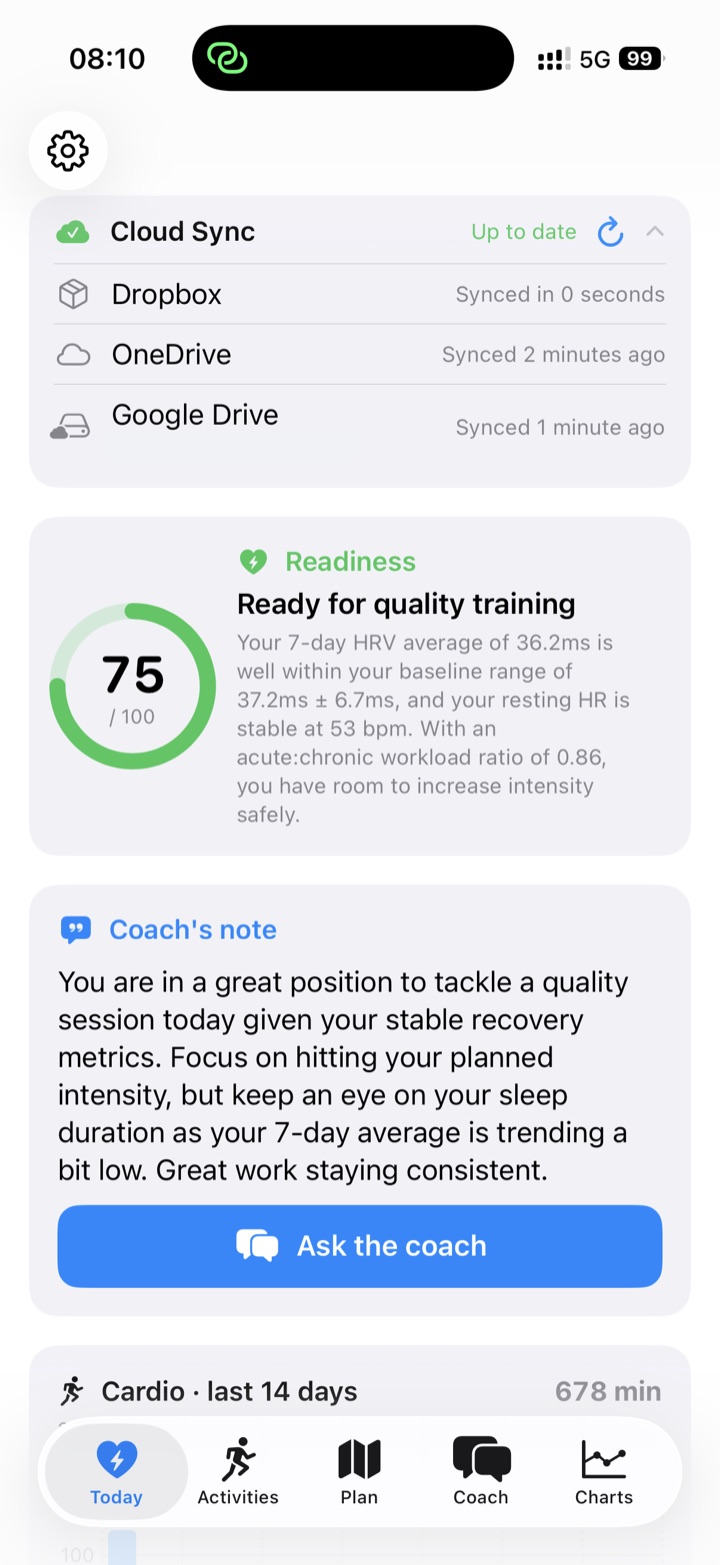
Scroll sideways for the rest →
A companion for people who want their data as data — not locked inside another app's servers.
Workouts and health metrics export to open, portable files on your device — readable by any tool, never trapped in a proprietary format.
Mirror your dataset to your own iCloud, Google Drive, Dropbox, or OneDrive. It goes to your account — Pulsebase runs no servers of its own.
An on-device query engine and an optional AI coach let you ask real questions about your training and get answers, charts, and summaries.
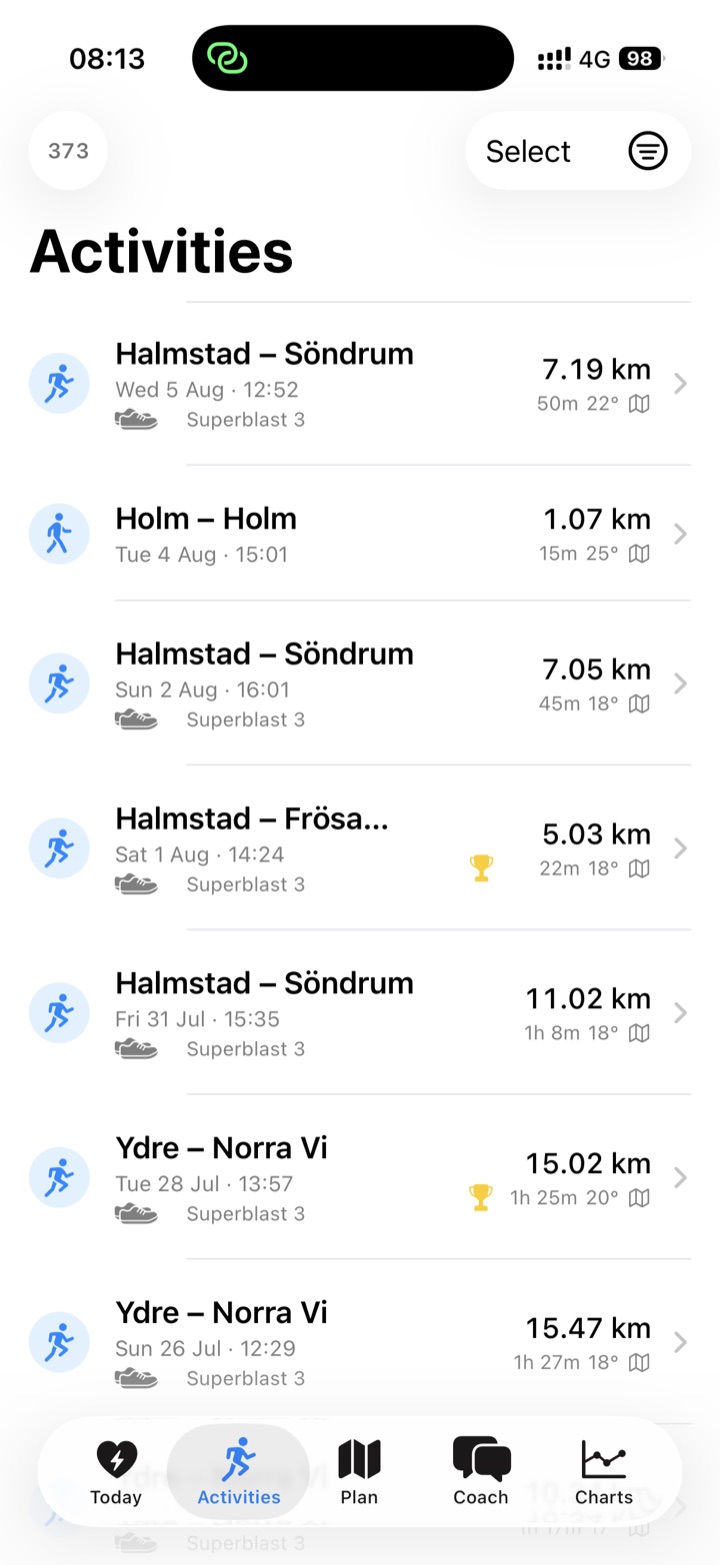
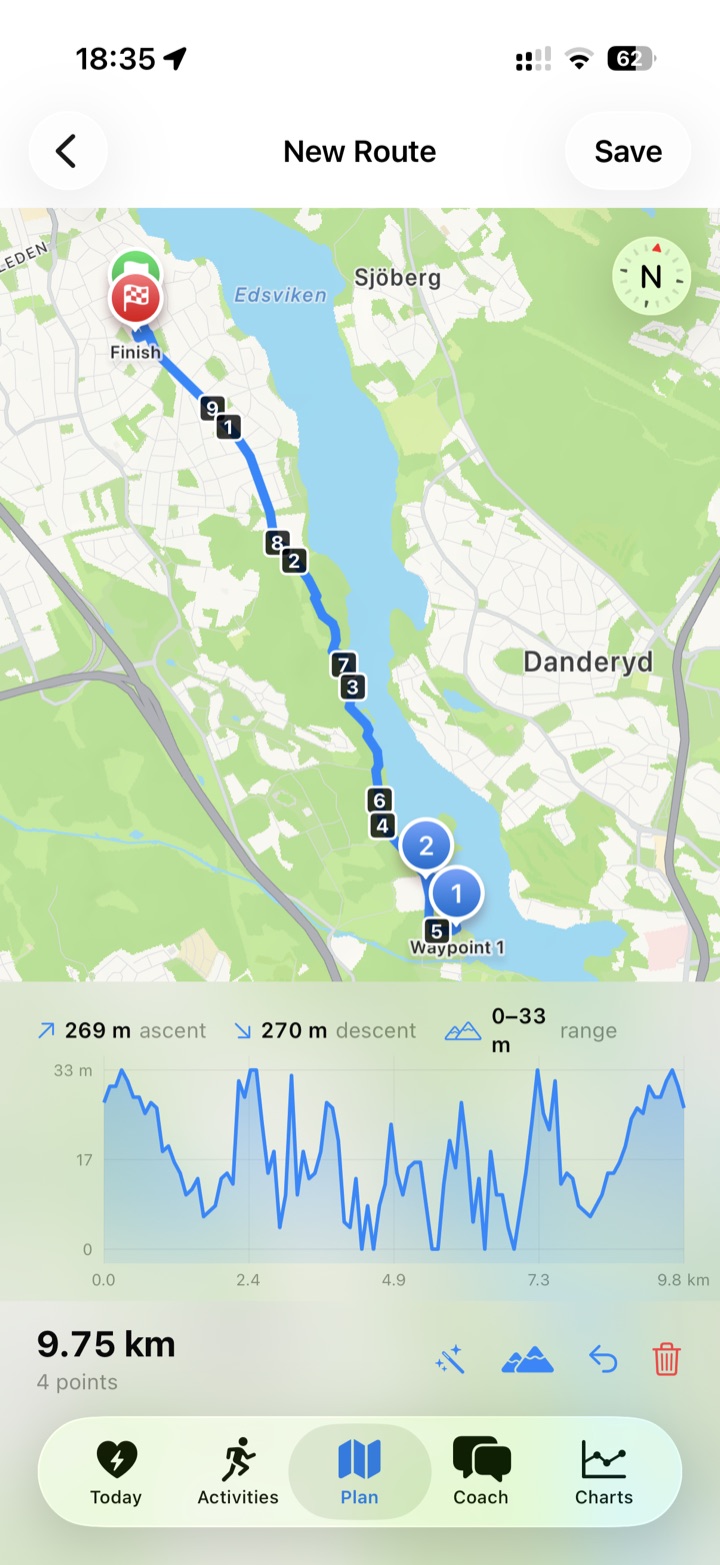
Review runs with location, weather, and per-shoe mileage, and plan new routes — all built on the same data you already own.
Three steps, and your data stays in your hands the whole way.
Grant read access to Apple Health. Pulsebase exports your history to open files, right on your device.
Mirror those files to your own iCloud, Google Drive, Dropbox, or OneDrive over official sign-in. Nothing routes through us.
Explore with charts and an AI coach that answers real questions about your training — on your terms.
Pulsebase has an AI layer that reads your data and answers real questions. It runs on your API key, so you're in control of it — and it's completely optional.
The AI features use Google Gemini. You paste your own Gemini API key once in Settings → AI; it's stored in the iPhone's Keychain and used to talk to Google directly. Getting a key is free from Google AI Studio. No key means the AI features simply stay off — everything else in the app works exactly the same.
A morning readiness score with the reasoning behind it — built from your recovery signals: HRV, resting heart rate, sleep, and recent training load.
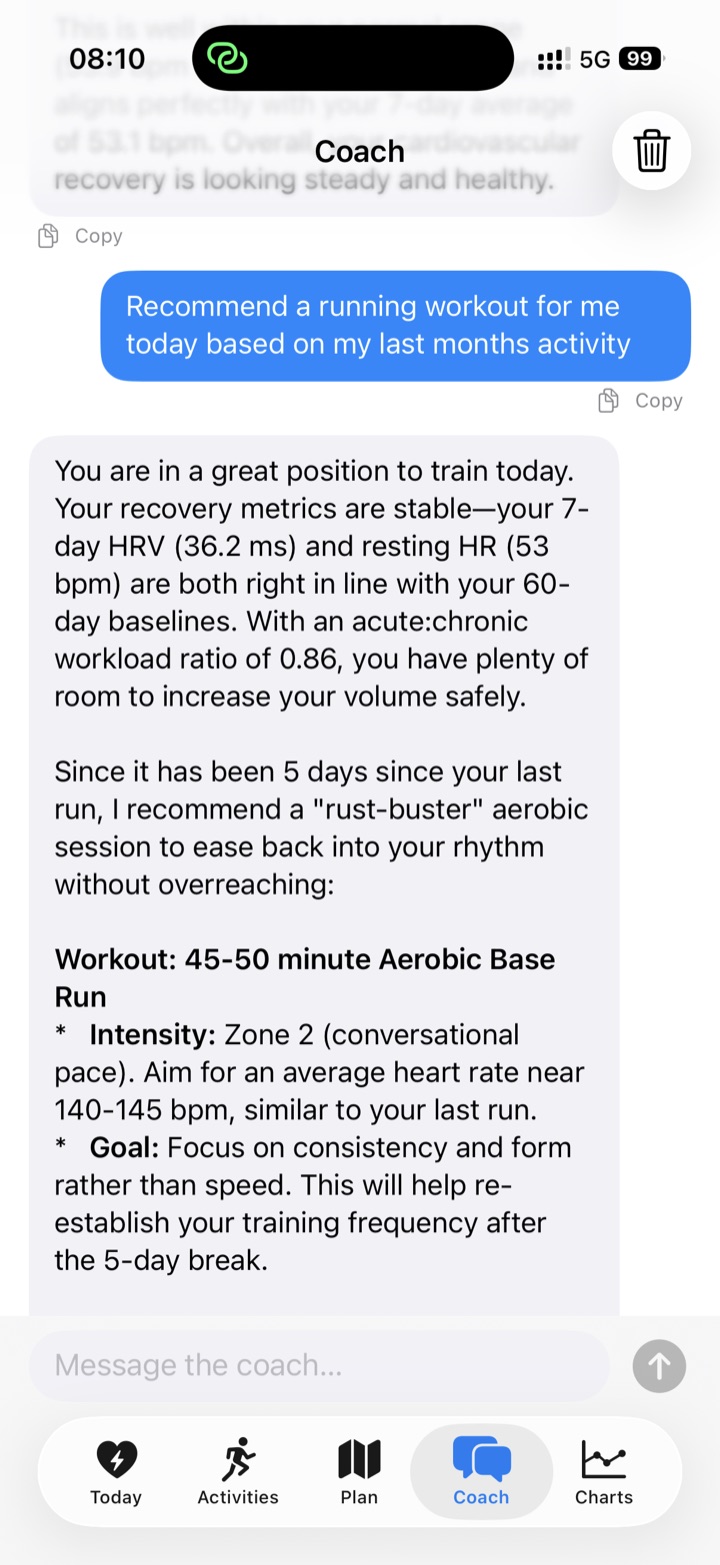
Ask in plain language — "how's my training trending?", "am I recovered?". The coach queries your data on-device and answers from the results.
Every workout gets a short written summary — pace, heart-rate zones, splits, and how the session fits into your recent training.
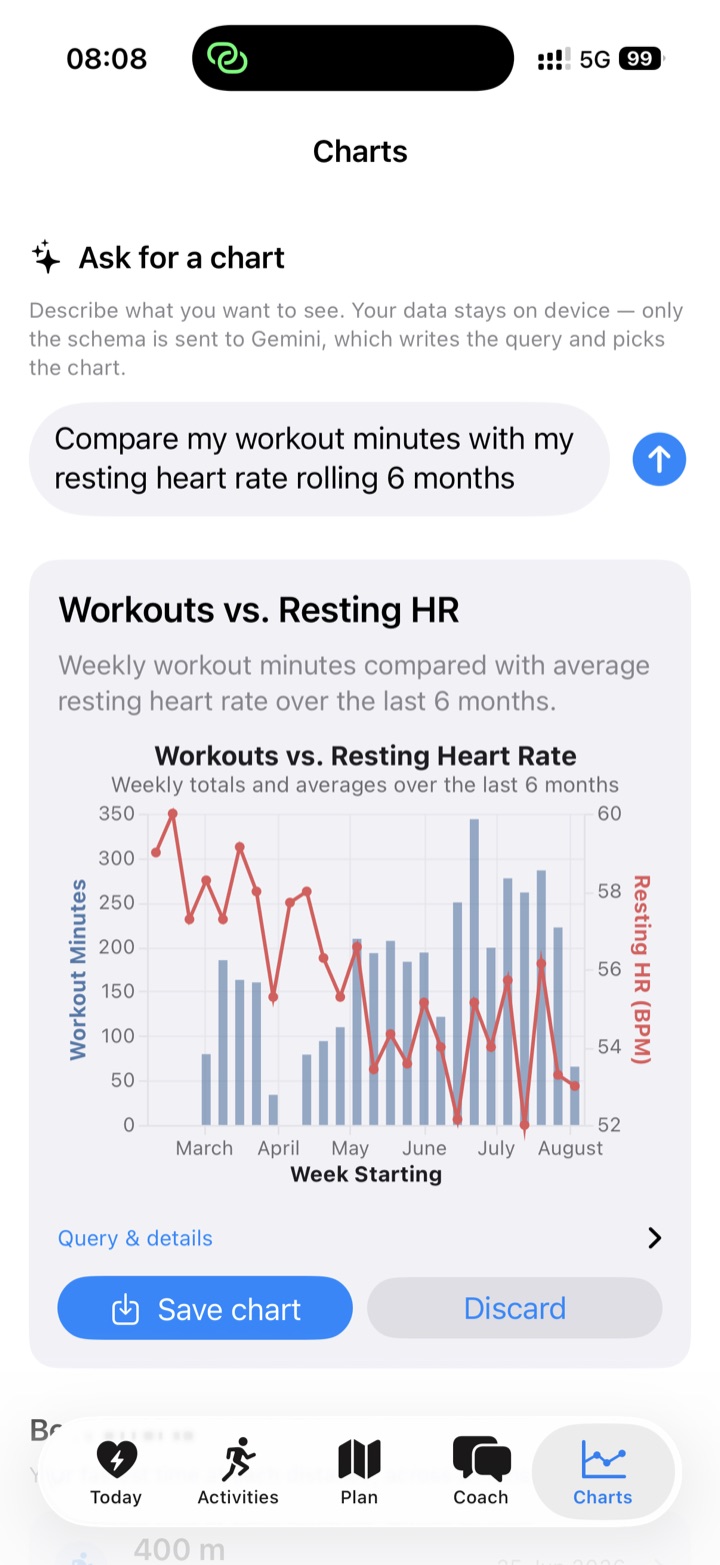
Describe the chart you want; the AI writes the query and chart spec, your device fills in the numbers. Save it and it refreshes with new data forever.
AI is entirely opt-in — no key, no AI, and every other feature keeps working. See the privacy policy for the full detail.
Pulsebase writes your history as Apache Parquet: columnar, partitioned, and self-describing. Any tool — DuckDB, pandas, or an AI CLI — can analyze it with zero setup.
README.md data dictionary, an AGENTS.md guide for AI agents, and a _manifest.json — all generated from the real schema, so the docs can't drift.workout_id, and an append-only + tombstone model the docs spell out for correct reads.$ cd ~/Dropbox/HealthData
$ claude "my longest run this year — distance and average heart rate?"
Read AGENTS.md → this folder is a DuckDB-ready Parquet dataset.
Longest run: 21.4 km on 2026-05-18 · avg HR 156 bpm · 1h47m.
# Prefer SQL? It's just Parquet — point DuckDB straight at the files:
$ duckdb -c "SELECT activity_label, round(max(total_distance_m)/1000, 1) AS km
FROM 'workouts/*.parquet' GROUP BY 1 ORDER BY km DESC LIMIT 3"Because AGENTS.md and README.md ship inside the folder, an AI CLI knows your schema the moment you point it there — no explaining, no setup, no data leaving your machine.
Pulsebase is built the opposite way to most health apps: there's no backend collecting your data, because there's no backend at all.
Pulsebase is a solo-built, quantified-self companion for people who want ownership — not another walled garden.
Read the privacy policyComing soon to iPhone.